

Functions
Overview
Section titled “Overview”Functions are HTTP requests that can be inserted as steps in your form’s layout. Use them to fetch data, validate input, or submit a payload to an external API at any point during a form session.
Sections
Section titled “Sections”Functions Toolbox
Section titled “Functions Toolbox”The functions toolbox lists all functions defined for the current form and lets you create or delete them. The only supported function type is HTTP Request.
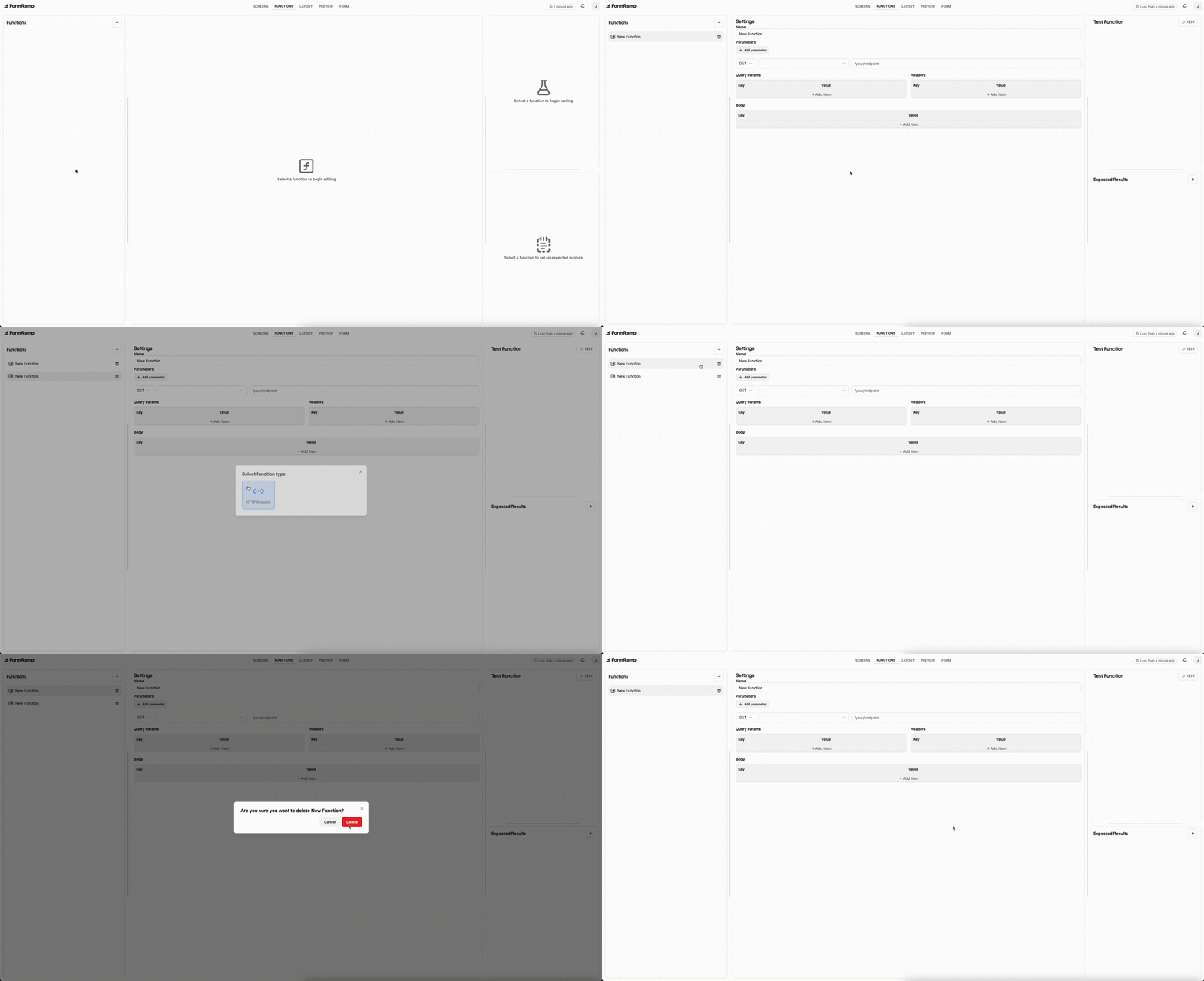
Function Settings
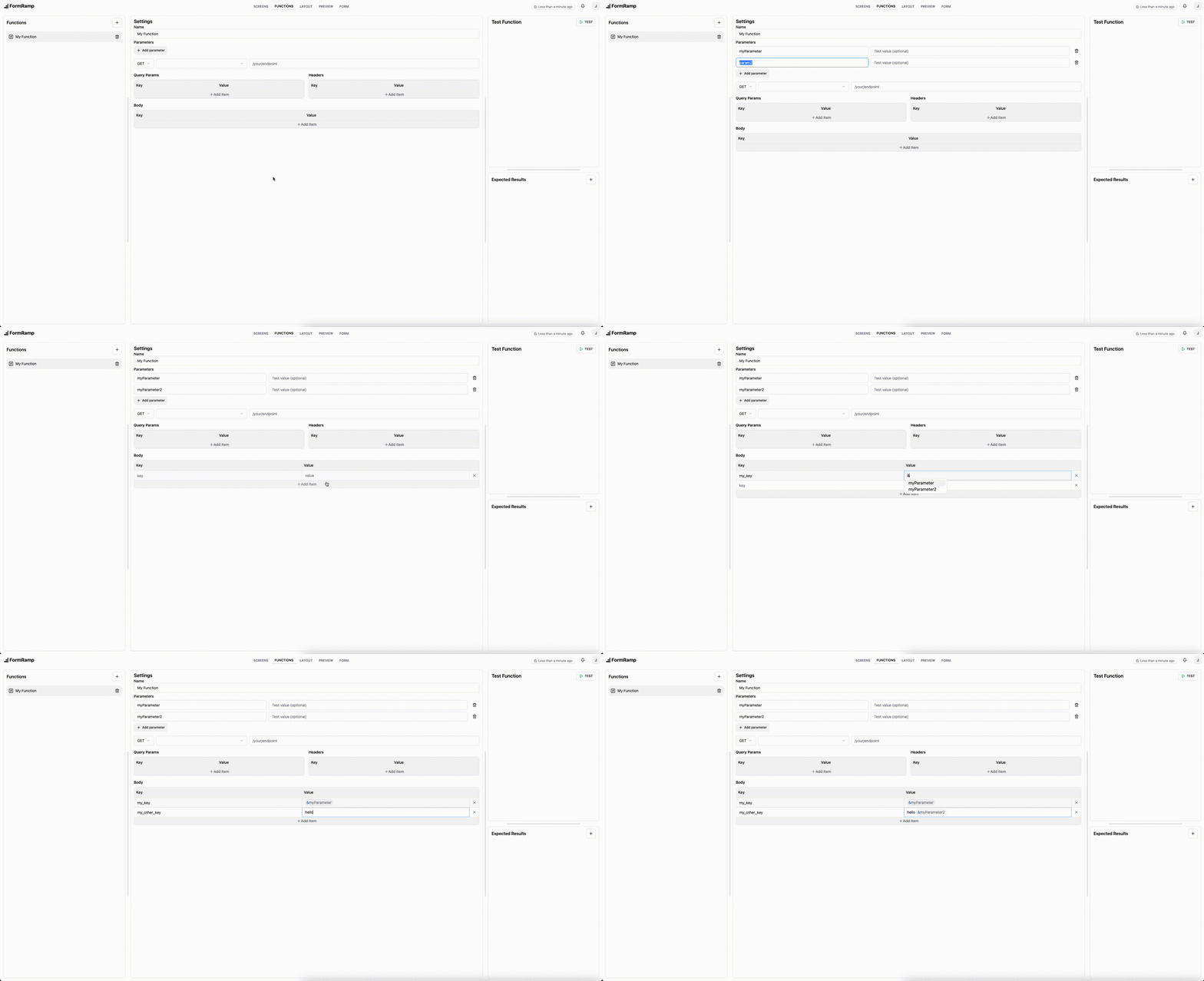
Section titled “Function Settings”Each function has a URL, HTTP method, and optional query parameters, headers, and request body.
To pass data from a previous screen or function into this request, add a parameter. Parameters appear as named variables and can be referenced in any field by typing & to open the parameter picker.
Testing
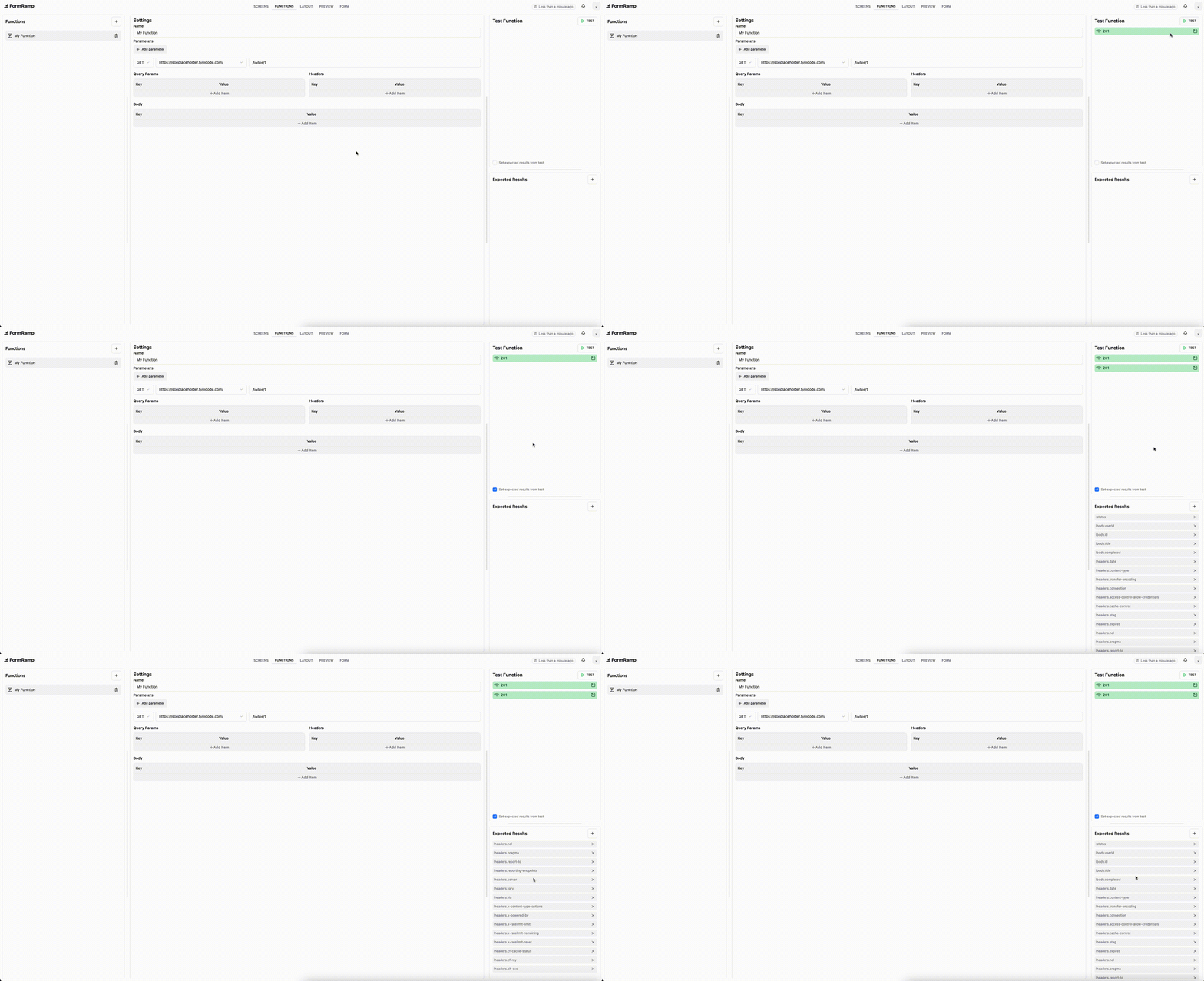
Section titled “Testing”Click Test to send the request immediately using the test values you’ve set for each parameter. The test runs against the live endpoint.
Past test executions are listed and can be expanded to inspect the full request and response. To populate the Expected Results from a test response, check the box at the bottom of the results panel.
Expected Results
Section titled “Expected Results”Expected results define which values from the function’s response are available downstream in the layout - for example, as input to a Logic node or another function’s parameter.
Each entry is a dot-separated path into the response JSON. For example, given this response:
{ "body": { "userId": "abc123", "score": 42 }}Adding body.userId as an expected result makes that value available to subsequent nodes.