

Functions
Sections
Section titled “Sections”Functions Toolbox
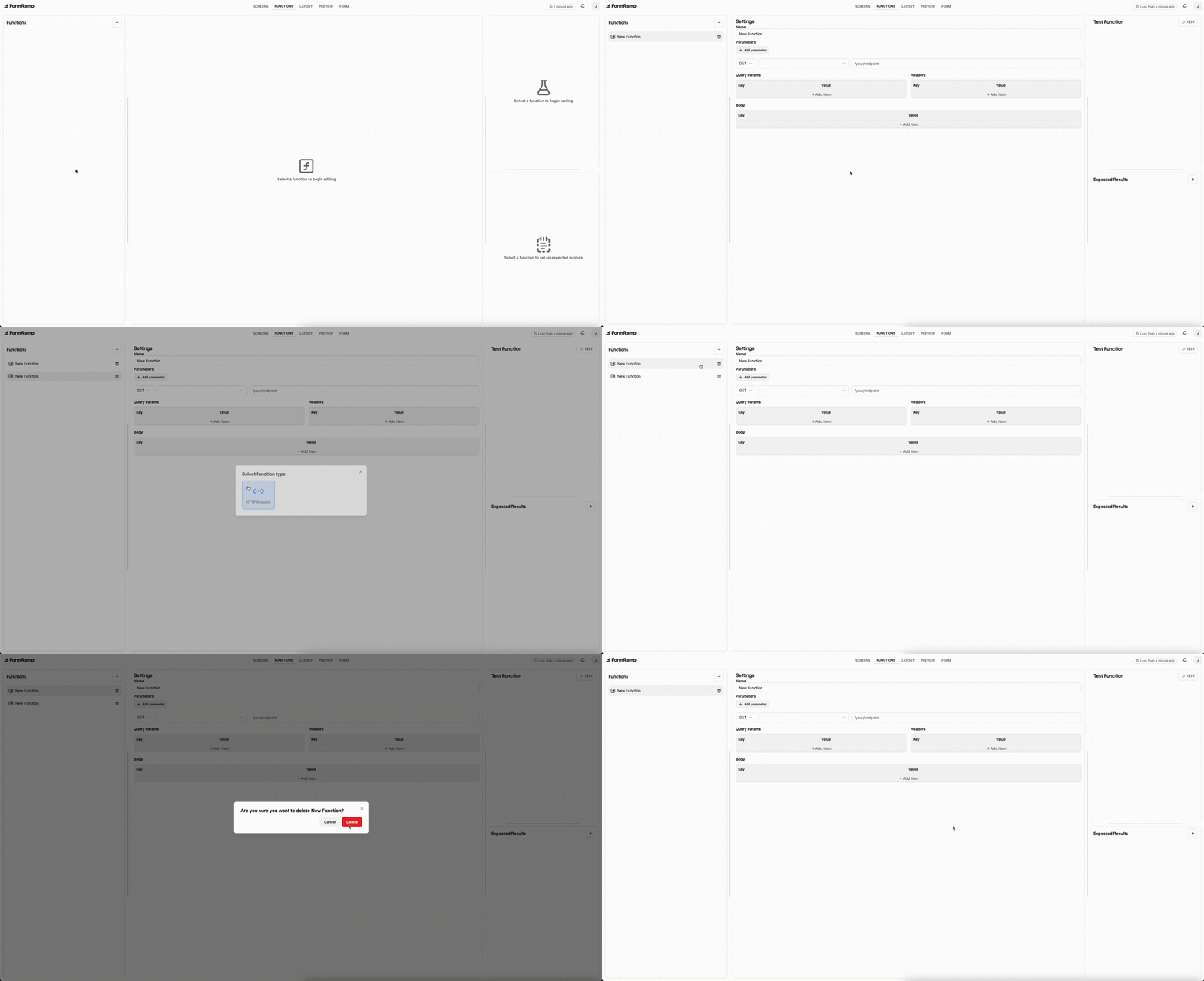
Section titled “Functions Toolbox”The functions toolbox shows the current functions, and allows you to delete and create new functions.
At the moment, the only supported function type is HTTP Request
Function Settings
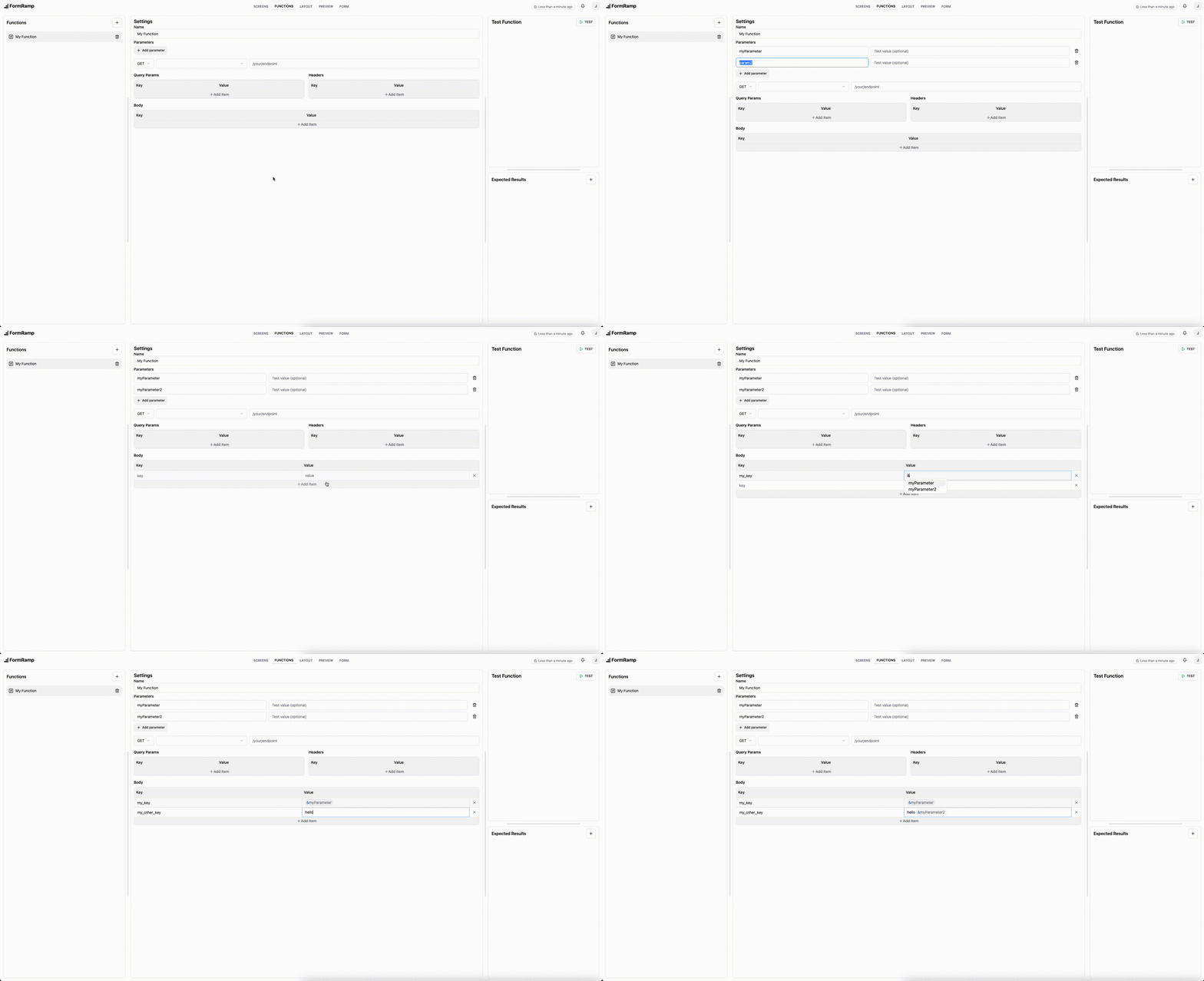
Section titled “Function Settings”These settings control what gets executed when the function is reached.
In order to access data from past screens or functions, you must add parameters to the function.
These parameters can then be accessed in certain inputs by typing &.
Function Testing
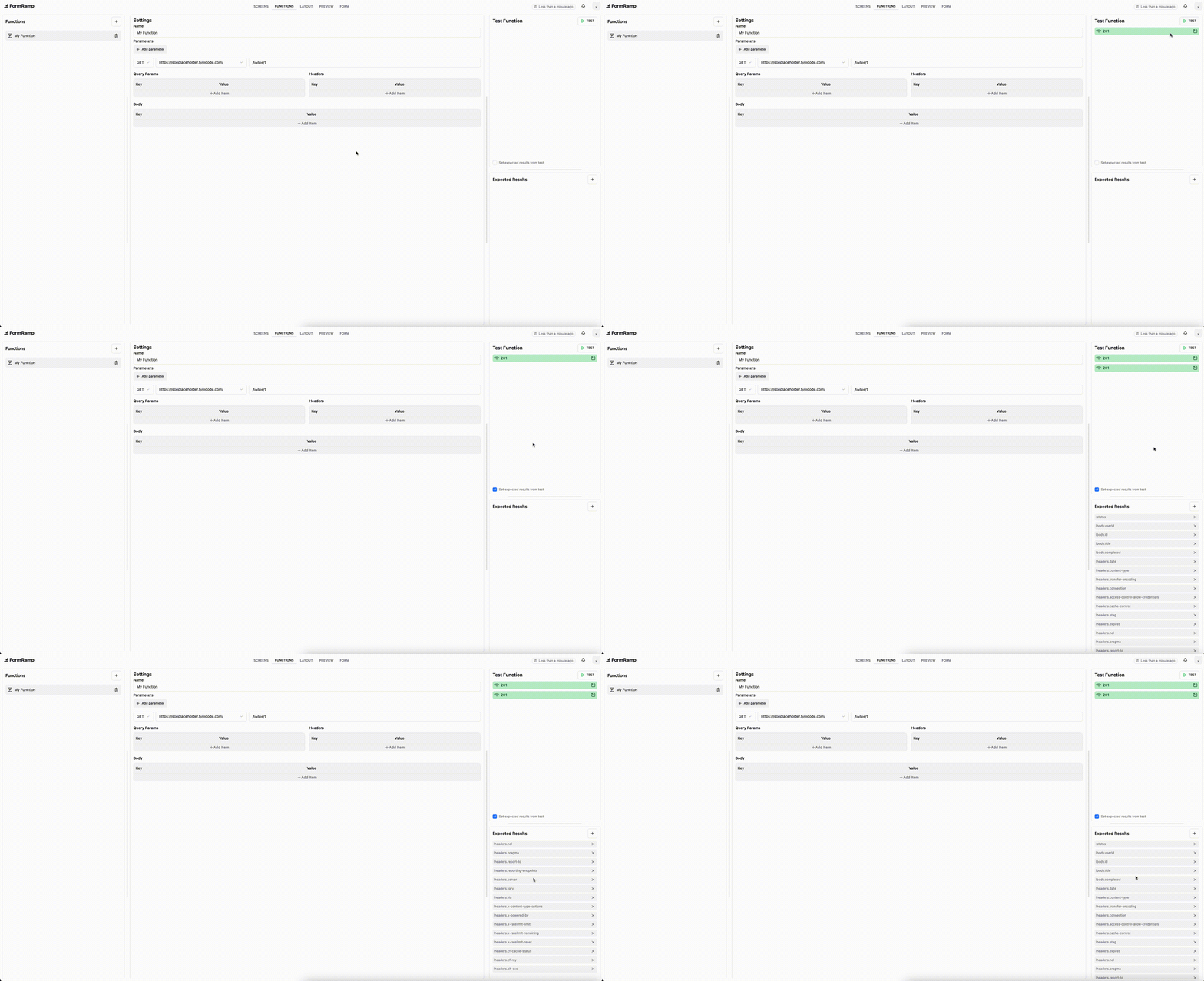
Section titled “Function Testing”If you’d like to test your function, you can do so by setting test values for your parameters and then hitting the TEST button.
Past tests will be listed and can be inspected from here.
Checking the box at the bottom of the section will populate the expected results section with the response headers and body from the test.
Expected Results
Section titled “Expected Results”The expected results are all of the values that get returned by the function. These values should be a period-delimited string that can be used to retrieve a value from a JSON object.
For example, if we have the JSON object:
{ body: { key1: "value1", key2: "value2" }}and we want to access the value of key1 in a later function, we’d add an expected result of body.key1